 Jun Lee
Legal Document Management Software: Security for PI Records
Legal Document Management Software: Security for PI Records
How to choose legal document management software for a PI firm: the security checks that matter for medical records, and where records leak instead.

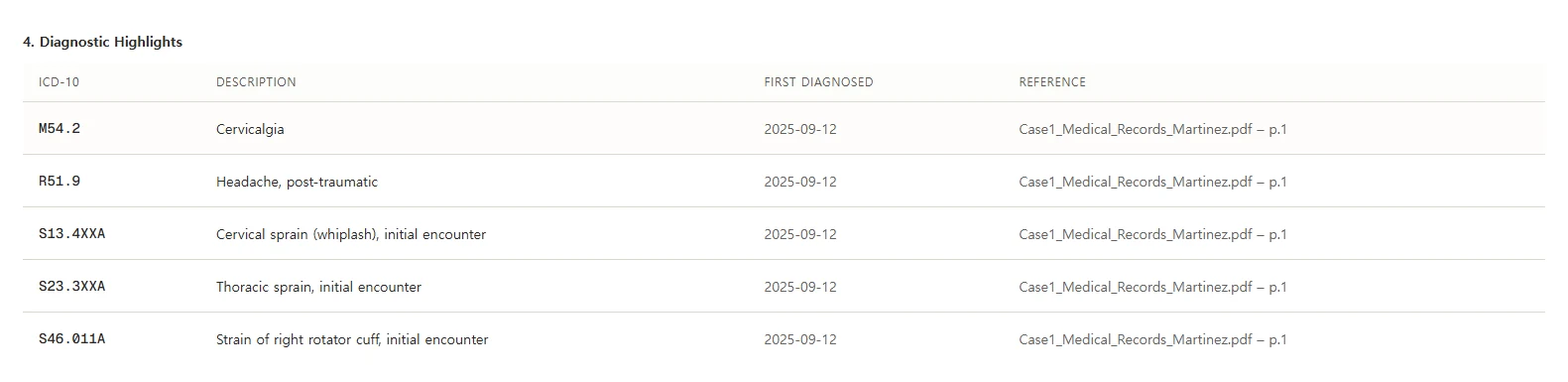
Medical records reach a PI firm five ways: fax, mail, a provider portal, email and the occasional USB drive. Then they end up in four places: the document system, someone's inbox, a downloads folder and a printout on a desk. The first one is the only place you control.
Choosing legal document management software for a PI firm comes down to that gap. Features matter less than whether the system can hold every record, show who opened it, and keep copies from scattering. I build software that reads these records, so I think about where they live. Here's how I'd evaluate a system.

What Is Legal Document Management Software?
Legal document management software stores a firm's documents by client and matter, with search, version history, access controls and an activity log. A shared drive stores files but rarely tracks who opened what. Case management software runs deadlines, tasks and billing. Many firms use a case system with built-in document storage. Others pair it with a separate DMS.
| Shared drive | Document management system | Case management system | |
|---|---|---|---|
| Organizes by | Folders people create | Client and matter | Case |
| Who opened a file | Often not recorded | Activity log | Varies |
| Version history | Basic | Yes | Basic to good |
| Deadlines, tasks, settlement | No | No | Yes |
If you're choosing the case system too, our guide to PI case management software covers deadlines, liens and settlement money. This post is about the documents.
The Myth: Encrypted Means Secure
Here's the comfortable version. "It's encrypted at rest and in transit, so our records are safe." Every vendor says it. It's usually true, and it answers the smallest part of the question.
Encryption protects data from someone who steals a disk or taps a connection. Most exposure in a law office doesn't look like that. It looks like a former employee whose login still works, a shared link forwarded twice, or a PDF downloaded to a laptop that went home.
The HIPAA Security Rule makes the point by its structure. Its technical safeguards list five standards: access control, audit controls, integrity, authentication and transmission security. Encryption shows up inside two of them, and both times it's marked "Addressable," not "Required." Unique user IDs are "Required."
That's the order I'd check them in, too. Who can get in, what they did, and whether anything changed. Then encryption.
What Security Should a DMS Have for Medical Records?
Use the Security Rule's five technical safeguards as a checklist: access control, audit controls, integrity, authentication and transmission security. Ask the vendor to show each one working, not to describe it. For a PI firm, access control and audit logs matter most, because most exposure comes from people who already have a login.
Whether HIPAA itself applies to your firm is a separate question. Holding medical records doesn't automatically make a plaintiff PI firm a covered entity. It depends on your role and the data flow, as our HIPAA guide explains. The list is still a good test.
| Safeguard (45 CFR 164.312) | What the rule describes | What to test in the demo |
|---|---|---|
| Access control | Access "only to those persons or software programs that have been granted access rights" | Limit one matter to two users. Log in as a third. Can they see it? |
| Audit controls | Mechanisms that "record and examine activity" | Open a record, then find that event in the log. Can you export the log? |
| Integrity | Protection from "improper alteration or destruction" | Replace a file. Is the old version kept? Can a user delete a matter? |
| Authentication | Verify that a person "is the one claimed" | Is multi-factor sign-in available, and can you require it for everyone? |
| Transmission security | Guard data "being transmitted over an electronic communications network" | How do you send records to an expert? Do shared links expire? |
Two more tests aren't in the rule but matter to a firm. Ask how fast you can remove a departing employee's access everywhere. Then ask how you get every document out, with its folder structure, if you leave. A vendor who hesitates on either question is telling you how the rest of the system works.
What Do the Bar Rules Ask of You?
The duty is the same whether files sit in a cabinet or a cloud system: protect client confidences with reasonable efforts. That includes checking a vendor's terms, not just its sales page. Bar guidance in California and Washington says the responsibility stays with the lawyer, whatever the vendor promises.
| Source | What it says |
|---|---|
| California B&P Code 6068(e) | A lawyer must "maintain inviolate the confidence" and "preserve the secrets" of the client |
| WSBA Advisory Opinion 2025-05 | The duties of competence and confidentiality "ultimately remain the lawyer's—not the product manufacturer or the service provider" |
| Same opinion, citing the bar's earlier cloud storage opinion | Evaluate a vendor's contractual assurances against "overall industry practice, the vendor's record of meeting those obligations, and how information is handled by the vendor" |
| California State Bar, 2026 AI guidance | "Reasonable efforts require more than reliance on generalized marketing assurances" |
The Washington opinion adds that this review "cannot be static and must be revisited at appropriate intervals." Put a date on the calendar to reread the vendor's terms.
Who Should Have Access to a PI Matter?
Give each person the access their job needs on that matter, and no more. Most small firms start with everyone seeing everything, because it's easier. Then a new hire can open every client's diagnoses on day one. Set access by role, and narrow it for sensitive matters.
| Role | Typical access | Worth limiting |
|---|---|---|
| Responsible attorney | Full access to their matters | Other attorneys' matters, unless they cover |
| Case paralegal | Full access to assigned matters | Delete rights on records and bills |
| Intake staff | Intake folder only | Medical records and settlement folders |
| Billing or accounting | Settlement folder | Medical records |
| Outside expert or co-counsel | Specific files, through an expiring link | The whole matter |
Review the list when someone changes roles or leaves. The audit log will tell you whether the limits are working.
Where Medical Records Actually Leak
Most leaks don't happen inside the document system. They happen in the copies people make to get work done. A good DMS makes those copies less necessary, but only your rules stop them.
- Email attachments. Records sent to an expert or co-counsel as attachments live on in both inboxes. Send a link that expires instead, if the system supports it.
- Downloads. A PDF downloaded to review on a plane stays on that laptop. Decide whether downloads are allowed, and on which devices.
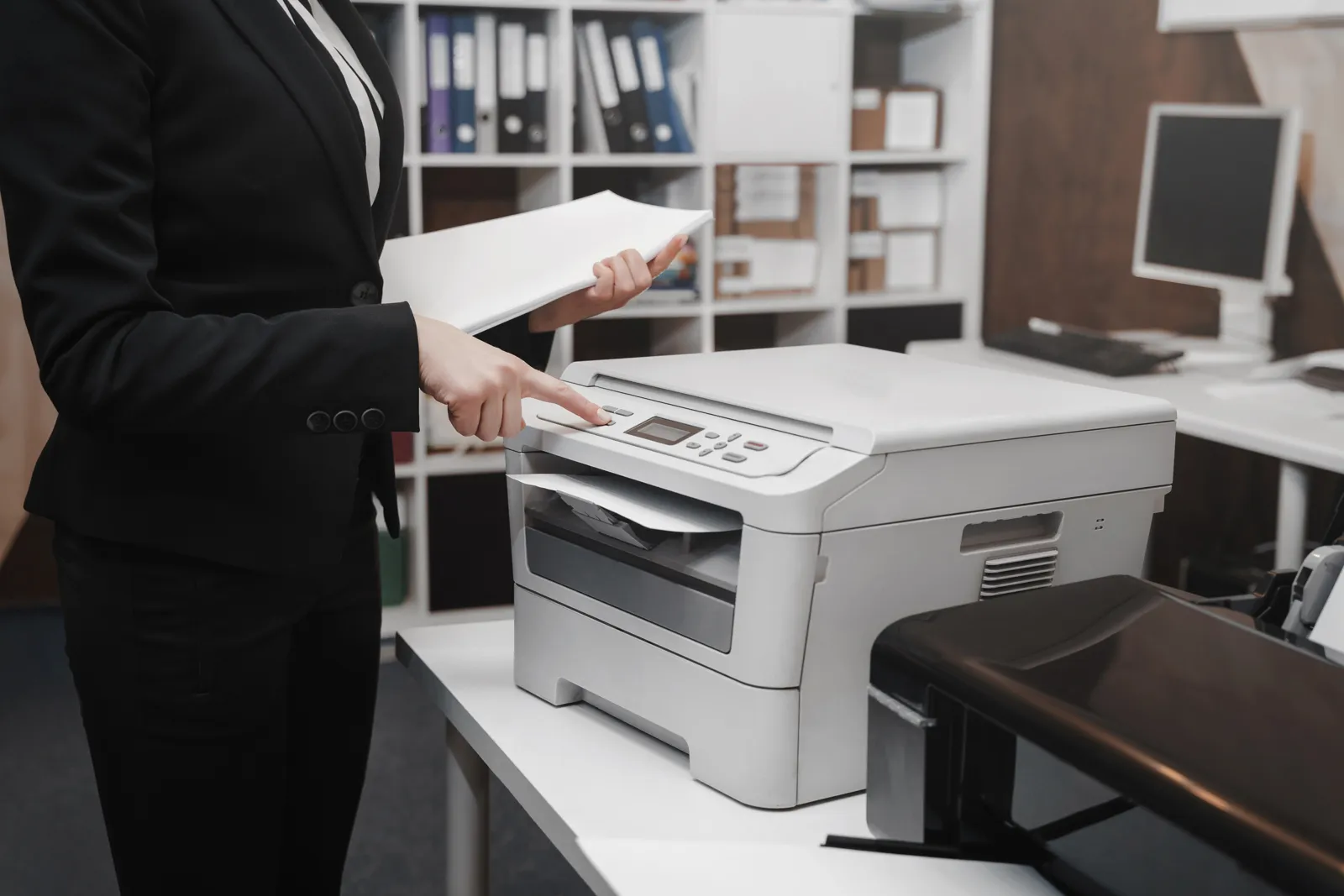
- Printouts. Paper doesn't show up in an audit log. Shred what you print when the task is done.
- Shared links. A link that never expires is a key that never gets returned. Set an expiry by default.
- AI tools. A record pasted into a chat tool has left your system. Our AI policy guide covers which tools can take client data.

A Folder Structure for a PI Matter
A document system only helps if everyone files the same way. Pick one structure and use it on every case. Here's a starting point for a PI matter.
| Folder | What goes in it |
|---|---|
| 01 Intake | Retainer, intake notes, authorizations, accident report |
| 02 Medical records | One subfolder per provider |
| 03 Bills | One subfolder per provider, matching 02 |
| 04 Liens | Lien notices, reduction letters, final payoffs |
| 05 Insurance | Letters to and from the carrier, policy information |
| 06 Demand | Drafts, the final demand, exhibits |
| 07 Negotiation | Offers and responses, with dates |
| 08 Settlement | Release, settlement statement, disbursement records |
File names matter as much as folders. A name should tell you what's inside without opening it.
Weak: scan0042.pdf
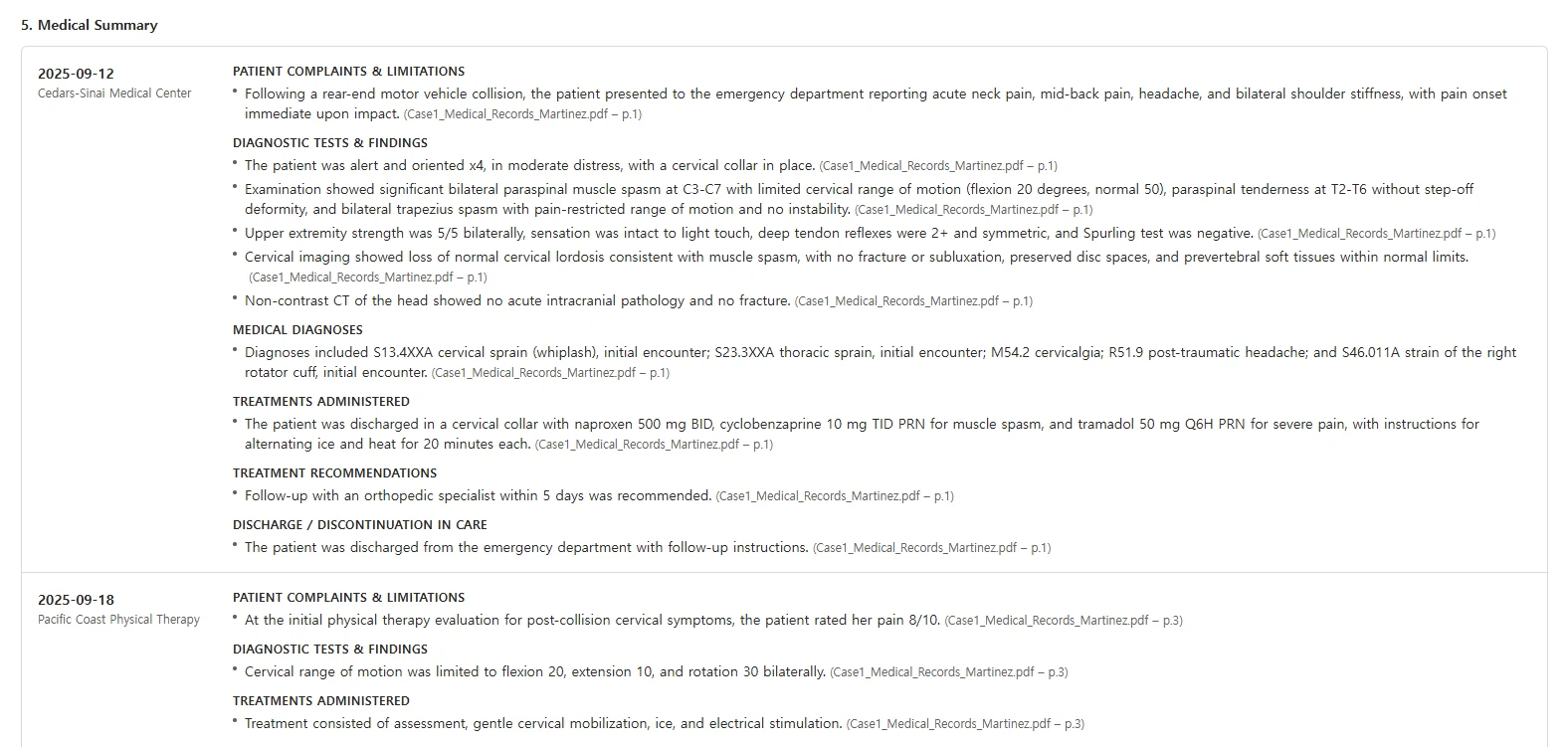
Better: 2025-09-12_CedarsSinai_ED_records_p1-14.pdf
Date first so files sort in order. Then the provider, the type and the page range. A paralegal can check the file against the records request without opening it.
Matching record and bill folders pay off later. When you build the demand, every bill has its records next to it, and the specials add up from one place. Our economic damages guide covers what goes into them, and the medical liens guide covers what belongs in folder 04. Our medical chronology guide and demand letter sections guide show what you'll build from them.
How Records Get Into the System
The weakest moment for a record is the day it arrives. A fax sits in a tray. A portal download lands in someone's downloads folder. An envelope goes into an inbox pile. Until it's filed to the matter, nobody else can find it, and the system can't protect it.
- File it the same day. Scan paper and save downloads straight into the matter, not to a desktop first.
- Make it searchable. Run text recognition on scanned PDFs so a search for a provider or a date finds them.
- Name it on the way in. Use the file name pattern above, with the page range.
- Check it against the request. Mark the records request as received, and note anything missing.
- Clear the copies. Delete the download and shred the paper once the filed copy is confirmed.
Ask the vendor to show this flow with a real fax or portal download. If it takes more than a few steps, people will skip it.
How Do You Test a DMS Before Buying?
Run a closed case through it. Upload that case's records, set the access the way you would for a real matter, and work the file for an hour. Then check the log, revoke a user and export everything. Each check below is yes or no, so two people should score the same system the same way.
- Matter access. You can limit a matter to named users, and others can't find it in search.
- Activity log. Opening, downloading and sharing a file each show up in the log, with a name and time.
- Versions. Replacing a file keeps the old version, and you can restore it.
- Deletion. Only named people can delete a document or a matter.
- Sign-in. You can require multi-factor sign-in for every user.
- Sharing. Shared links can expire and be revoked.
- Offboarding. Removing a user ends their access everywhere, at once.
- Search. You can find a record by provider and date, including scanned PDFs.
- Email. You can file an email and its attachments to a matter in one step.
- Exit. A full export keeps your folders and file names, in formats you can open without the vendor.

Keeping and Destroying Records
A document system makes it easy to keep everything forever. That's not always the right answer. Every closed matter you keep is still client data you have to protect.
Some records have a minimum. In California, Rule 1.15 requires trust account records to be kept for at least five years after final distribution. Other files depend on your state's rules, your malpractice carrier's advice and any client agreement. Write your retention periods down once, by folder.
Then test the system against them. Can it flag a closed matter when its retention period ends? Can it delete a matter completely, including old versions and backups, and log that it did? A system that can't delete on purpose can't prove what it still holds.
AI Features Inside the Document System
Many document systems now add AI search, summaries or assistants that act on your files. Treat those as a separate approval. An AI feature that can read every matter can also surface one client's records in another client's work if it isn't set up carefully.
California's 2026 guidance names this directly. It notes that AI agents "may be configured to access internal firm systems such as email, messaging platforms, document management systems." It then says attorneys "must carefully evaluate and limit the scope of such access." Ask the vendor how the AI feature respects matter-level permissions, and whether your documents are used to train anything. Ask, too, whether you can turn the feature off for sensitive matters.
When This Advice Is Wrong
I've written this for a small or mid-size PI firm choosing where its records live. Here's where it fits less well.
- Your case system already does it. If your case management system has matter permissions, an activity log, versions and a clean export, a separate DMS may add cost without adding safety.
- A very small practice. A solo attorney with one assistant may manage with a well-configured business cloud drive. Keep the folder structure, the sign-in rule and the shared-link rule.
- Client or court requirements. Some matters come with protective orders or client security terms. Those set the floor, and they may require more than this checklist.

Where Lexyno Fits
Lexyno isn't a document management system, and it doesn't decide causation, value a case or give advice. Your records and finished documents belong in your firm's own document or case system.
Lexyno does one part of the file. Its AI demand letter software drafts the demand from the case's records, with source references you can check, and exports to Word. Medical Summary builds the treatment chronology and flags gaps over 30 days. You save both back to the matter like any other document. Plans are on the pricing page.
For getting records in the first place, see our guide to medical record retrieval and our post on how long hospitals keep medical records. If you're weighing AI tools that touch those records, start with ChatGPT for lawyers.
Control the Copies, Not Just the Vault
The best legal document management software for a PI firm is the one that passes your closed-file test and makes stray copies unnecessary. Check access, the log and the exit before you look at the dashboard.
Encryption locks the vault. Your rules decide how many copies walk out of it.
Start from our PI demand letter template, or try Lexyno on one case from your own file, free.
Frequently asked questions
It’s a system that stores a firm’s documents by client and matter, with search, version history, access controls and an activity log. It differs from a shared drive, which stores files but rarely controls who opened what, and from case management software, which runs deadlines, tasks and billing.
No. Encryption protects data stored or in transit, but most exposure comes from people with access, shared links and copies outside the system. The HIPAA Security Rule lists encryption as one of several safeguards, alongside access control, audit controls, integrity and authentication.
Not automatically. Holding medical records doesn’t by itself make a plaintiff PI firm a HIPAA covered entity. It depends on the firm’s role and the data flow. Confidentiality duties apply either way, and the Security Rule’s safeguards make a useful checklist.
Reasonable efforts to protect client confidences. Washington’s bar has suggested weighing a vendor’s contractual assurances against industry practice, its record of meeting them, and how it handles information. California’s 2026 guidance says reasonable efforts require more than generalized marketing assurances.
One matter per case, with the same subfolders every time: intake, medical records by provider, bills, liens, insurance correspondence, demand, negotiation and settlement. Name files with the date, provider and contents so anyone can find a record without opening it.
No. Lexyno drafts demand letters and medical chronologies from a case’s records and exports them to Word. You store the records and the finished documents in your firm’s own document or case management system.
Related posts

Personal Injury Case Management Software: How to Choose
How to choose personal injury case management software: test deadlines, records, liens and settlement money on a closed file before you sign.

AI Policies for Law Firms: A Framework PI Firms Can Use
AI policies for law firms, built for PI practice: the eight sections a policy needs, sample wording, and the bar duties each section answers.

ChatGPT for Lawyers: What PI Firms Can Safely Use It For
ChatGPT for lawyers at a PI firm: what to paste and what not to, what the bar says about client data, and how to check a citation before you file it.
What's next?
Ready to see the difference in your next case?
Put these strategies to work. Try a mock demand generated by Lexyno today.
Request Evaluation Access