 Jun Lee
Personal Injury Case Management Software: How to Choose
Personal Injury Case Management Software: How to Choose
How to choose personal injury case management software: test deadlines, records, liens and settlement money on a closed file before you sign.

Every case management demo looks the same. A clean dashboard, a pipeline of cases sorted by stage, a calendar with colored dots. Then you sign. You migrate three years of files, and find out the lien tracker is a notes field.
Choosing personal injury case management software isn't about the longest feature list. It's about whether the system handles the parts of a PI file that cost you when they go wrong: deadlines, records and bills, liens, and settlement money.
I build software for PI firms, though not this kind, so here's how I'd test it.

What Should PI Case Management Software Do?
PI case management software should hold the whole file: contacts, deadlines, tasks, medical providers, records requests, bills, liens, documents and the settlement breakdown. General practice tools cover contacts, tasks and documents well. The PI-specific parts are treatment, records, liens and settlement money. Those are where you should spend your demo time.
Which vendor is best is the wrong first question. The better one is narrower: which system handles your file, the way your team actually works it?
The Myth: "Built for PI" Means Built for Your Firm
Here's the comfortable version. "It says personal injury on the website, so it'll fit." Every system in this category says that.
The label tells you who the vendor sells to. It doesn't tell you whether the lien tracker can show a reduced balance, or whether the calendar knows a public-entity claim deadline.
The test is simple and a little tedious. Take one closed case you know well.
Ask the vendor to walk it through their system, from intake to disbursement, in your demo. You already know the answers, so you'll see the gaps.
That's the whole method. The rest of this post is what to check along the way.
Start With Your Workflow, Not the Feature List
Before any demo, draw how a file moves through your office. Most PI firms follow some version of this.
Intake, treatment, records and bills, demand, negotiation, then settlement or suit. Mark who touches the file at each step and what they need to see.

| Stage | What the system has to show | What to test in the demo |
|---|---|---|
| Intake | Client, accident facts, insurance, conflicts | Can intake create the deadline entries, or does someone retype them? |
| Treatment | Providers, visit dates, treatment status | Can you see which clients are still treating and who has stopped? |
| Records and bills | Requests sent, received, outstanding | Can you list every provider still owing records or a bill, in one view? |
| Demand | Specials, liens, documents | Does the specials total come from the bills entered, or a typed number? |
| Negotiation | Offers, counteroffers, dates | Is each offer logged with a date and who made it? |
| Settlement | Gross, fees, costs, liens, net to client | Can it produce a settlement statement your client can read? |
Our pre-litigation guide walks the same stages in more detail, with who does what at each one.
Which Deadlines Should the Calendar Track?
The calendar should track the statute of limitations for each state you practice in, plus claim notice deadlines for cases against public entities. Those notices often come due much sooner than the statute. A system that only asks for an accident date and adds two years will miss them. Check that you can set both kinds of deadline.
| State | General PI statute of limitations | Claims against public entities |
|---|---|---|
| California | Two years (CCP 335.1) | Claim presented within six months of accrual (Gov. Code 911.2) |
| Washington | Three years (RCW 4.16.080) | No suit against a local government until 60 days after the claim is presented (RCW 4.96.020) |
| New York | Three years (CPLR 214) | Notice of claim within 90 days where required (Gen. Mun. Law 50-e) |
| New Jersey | Two years (N.J.S.A. 2A:14-2) | Claim within 90 days of accrual (N.J.S.A. 59:8-8) |
For New Jersey, we confirmed both periods through New Jersey Supreme Court opinions that quote them, Lopez v. Swyer and Beauchamp v. Amedio, not the statute text itself.
Every row has exceptions, such as minors and when the claim accrues. The software should let you override a computed date and note why.
Ask the vendor to show you a case with two deadlines on the same matter, one statute and one claim notice. Then ask what reminder fires, to whom, and how far ahead.
Medical Records and Bills Are the Real Workload
A lot of PI work is chasing records and bills. So the system has to answer one question fast: what's still missing, and from whom?
A provider list with a status per request is the minimum. Better systems track the date you asked, the date you followed up and the date it arrived.

Records don't always arrive digitally. Some come by fax, some by mail, some through a portal. Ask how a faxed record gets into the right case, and who files it.
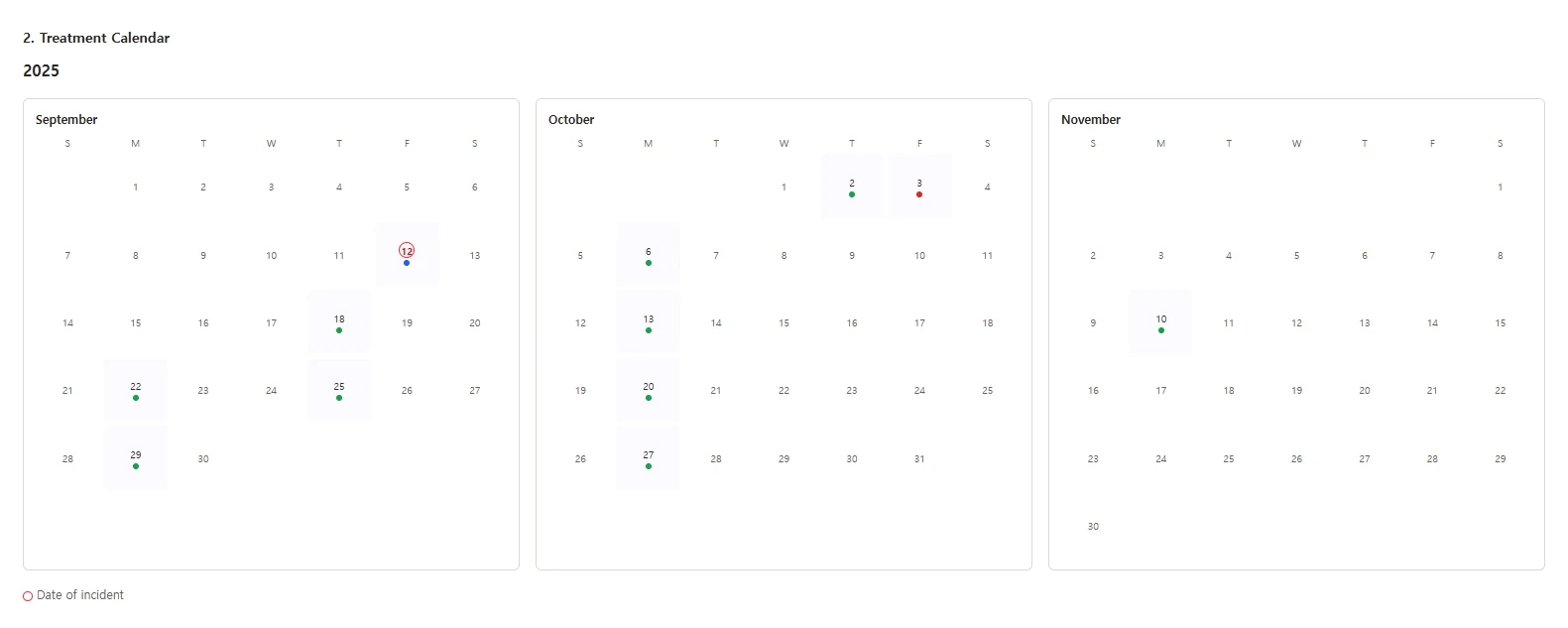
Then look at treatment. Can you see visit dates on a timeline, and spot a long gap before the adjuster does?
Our guide to medical record retrieval covers the request side. The medical chronology guide covers what you build once the records arrive.
What Should It Do With Settlement Money?
It should help you produce a clear settlement statement and keep the trust records your state requires. The firm stays responsible for the rules either way. In California, Rule 1.15 requires notice to the client within 14 days of receiving funds, complete records, a written accounting, and prompt distribution of undisputed funds.
| What California Rule 1.15 requires | What to ask the vendor |
|---|---|
| Notify the client "no later than 14 days of the receipt of funds," absent good cause | Does receiving a settlement check create a task with that deadline? |
| "Maintain complete records of all funds" | Is every deposit and disbursement logged per client, or only the totals? |
| "Promptly account in writing" to the client | Can it produce the settlement statement and a client ledger? |
| Preserve records for at least five years after final distribution | How long does the vendor keep data, and can you export it? |
| "Promptly distribute any undisputed funds" | Can you see which cases have funds held, and why? |
Washington, New York and New Jersey have their own trust rules. Read yours before the demo, and bring the list.
Liens are where settlement statements go wrong. The system should track each lien holder, the claimed amount, any reduction you negotiated, and the final payoff. Our medical liens guide covers who can claim a lien and how reductions work.
If some clients treat on a letter of protection, track those balances the same way. They come out of the settlement too, and they're easy to forget until the provider calls.
Our letter of protection guide covers what you're signing.

How Do You Check a Vendor's Data Terms?
Read the contract, not the security page. Washington's bar has suggested weighing a vendor's contractual assurances against industry practice, the vendor's record of meeting them, and how it handles information. Then check the exit: how you get all of your data out, in what format, and how fast, if you ever leave.
That framework comes from WSBA Advisory Opinion 2025-05, which recalls the bar's earlier cloud storage opinion. It adds that "a lawyer's review cannot be static and must be revisited at appropriate intervals." California's 2026 AI guidance makes a similar point about AI tools: "reasonable efforts require more than reliance on generalized marketing assurances."
Many case management systems now include AI features. If they do, the same questions apply, plus one more: is your client data used to train anything? Our AI policy guide covers how to decide which tools are approved for client data. The HIPAA guide covers the health-privacy questions.
Who Should Sit in the Demo?
The people who'll use the system every day should sit in the demo, not only the person who signs the contract. A partner watching a demo sees the dashboard. A paralegal sees how many clicks it takes to log a faxed record. Whoever runs trust accounting sees whether the ledger holds up.
- The paralegal who chases records. They'll judge the provider list, the request log and the document filing.
- Whoever handles trust accounting. They'll judge the settlement statement, the client ledger and the export.
- An attorney who negotiates. They'll judge the offer log, the lien view and the deadline reminders.
Give each of them the checklist below and have them score it on their own. Then compare scores before anyone talks about price.
A Demo Checklist You Can Test
Bring a closed case you know well. Every item below is yes or no, so two people watching the same demo should score it the same way.

- Deadlines. It holds a statute date and a public-entity notice date on the same case, with reminders.
- Records. One view shows every provider still owing records or a bill.
- Treatment. You can see visit dates and spot a long gap.
- Specials. The total comes from the bills entered, not a typed number.
- Liens. Each lien shows the claimed amount, the reduction and the payoff.
- Settlement. It produces a settlement statement from the case's numbers.
- Trust records. Every deposit and disbursement is logged per client.
- Documents. You can open the source document behind any entry.
- Access. You can limit who sees a case, and see who opened it.
- Exit. The vendor shows you a full export, in a format you can open without them.
Score two or three personal injury case management software systems on the same closed file. The differences will be obvious, and they won't be the ones on the pricing page.
Questions to Ask About Price
List prices are easy to compare and tell you little. What you pay depends on how the vendor counts, what's extra, and how hard it is to leave.
Ask these before you compare numbers.
- What's the unit? Per user, per case, or per firm. A per-user price looks cheaper until you add every paralegal.
- What's extra? Storage, e-signature, text messaging, accounting, AI features and support tiers are often priced separately.
- What does migration cost? Moving your existing files may be a separate fee, and someone at your firm will still check the result.
- How long is the contract? Annual terms are common. Ask what happens to price at renewal.
- What does leaving cost? Ask whether a full data export is included or billed, and how long you keep access after you cancel.
Put the answers in the same table for every vendor. Then compare.
How Do You Switch Without Losing Data?
Plan the switch around your open cases, not your whole history. Move open files first and check each one against the old system. Archive closed files in a format you can open without either vendor. Run both systems side by side until every open deadline is confirmed in the new calendar.
- Export everything first. Contacts, deadlines, notes, documents and trust records, before anyone starts mapping fields.
- Check deadlines by hand. Every open case's statute and claim notice dates, compared line by line.
- Spot-check documents. Open a sample of migrated files and confirm the records and bills are attached to the right case.
- Reconcile trust balances. The per-client balances in the new system should match the old ledger to the cent.
- Keep the old access. Don't cancel the old system until the checks are done.
The deadline check is the step people skip. It's also the one that matters most.
When This Advice Is Wrong
I've written this for a small or mid-size PI firm buying its first PI-specific system, or replacing one. Here's where it fits less well.
- A low-volume solo practice. If you carry a few dozen files, a general practice tool, a good calendar and a spreadsheet may do the job. Keep the deadline rule and the trust records rule either way.
- A mostly litigation practice. If most files go to suit, weigh discovery, depositions and court calendaring more heavily than the pre-litigation stages above.
- A recent switch. Migration is expensive and risky. If your current system passes most of the checklist, fixing your process may beat moving.

Where Lexyno Fits
Lexyno isn't a case management system, and it doesn't decide causation, value a case or give advice. Your case management system stays where your contacts, deadlines, tasks and settlement accounting live.
Lexyno does one part of the file. Its AI demand letter software drafts the demand from the case's records, with source references you can check, and exports to Word.
Medical Summary builds the treatment chronology and flags gaps over 30 days. You save both back to the case file like any other document. Plans are on the pricing page.
For what goes into the demand itself, see our demand letter sections guide and the economic damages guide. Once the demand is out, our post on how long insurers have to respond covers the next deadline.
Test the File, Not the Dashboard
The best personal injury case management software for your firm is the one that passes your own closed file. Deadlines, records, liens and settlement money first. Dashboards last.
Every vendor demo looks good. Your old file will tell you which one is.
Start from our PI demand letter template, or try Lexyno on one case from your own file, free.
Frequently asked questions
It’s the system a PI firm runs its files in: contacts, deadlines, tasks, medical providers, records and bills, liens, documents, and the settlement breakdown. General practice tools cover some of this. PI-focused tools add treatment, records, lien and settlement tracking.
There isn’t one best system for every firm. The right one handles your deadlines, your records and bills workflow, your liens and your settlement accounting, and lets you take your data with you. Test those on one of your own closed files before you sign.
The statute of limitations for each state you practice in, plus claim notice deadlines for cases against public entities, which are often much shorter. In California, a claim against a public entity generally has to be presented within six months. In New York, a notice of claim is generally due within 90 days.
Some systems track settlement breakdowns and trust activity, and some connect to separate accounting software. Either way, the firm stays responsible for the trust rules. In California, Rule 1.15 requires complete records, written accounting to the client, and prompt distribution of undisputed funds.
Read the contract, not the marketing page. Washington’s bar has suggested evaluating a vendor’s contractual assurances against industry practice, its record of meeting them, and how it handles information. Also ask how you get all your data out if you leave.
No. Lexyno drafts demand letters and medical chronologies from a case’s records and exports them to Word. Your case management system stays where your contacts, deadlines, tasks and settlement accounting live.
Related posts

Legal Document Management Software: Security for PI Records
How to choose legal document management software for a PI firm: the security checks that matter for medical records, and where records leak instead.

AI Policies for Law Firms: A Framework PI Firms Can Use
AI policies for law firms, built for PI practice: the eight sections a policy needs, sample wording, and the bar duties each section answers.

ChatGPT for Lawyers: What PI Firms Can Safely Use It For
ChatGPT for lawyers at a PI firm: what to paste and what not to, what the bar says about client data, and how to check a citation before you file it.
What's next?
Ready to see the difference in your next case?
Put these strategies to work. Try a mock demand generated by Lexyno today.
Request Evaluation Access